Synopsis: When receiving a truck-mounted AFAD, you will need to pair your remote to the unit in order to operate it. This guide will show you the steps necessary to pair your remote.
- Level: Easy
- Time required: 1-2 minutes
- Additional equipment required: None
1. Open the red lamp compartment and find the green circuit board
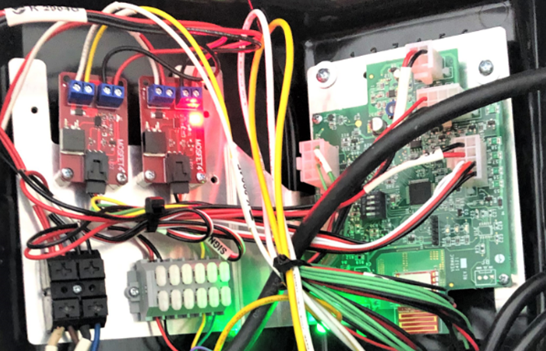
Figure 1 - Green circuit board inside red lamp
2. Change the position of the dip-switch #4 to ON (The gate cannot be moved in when this is done)
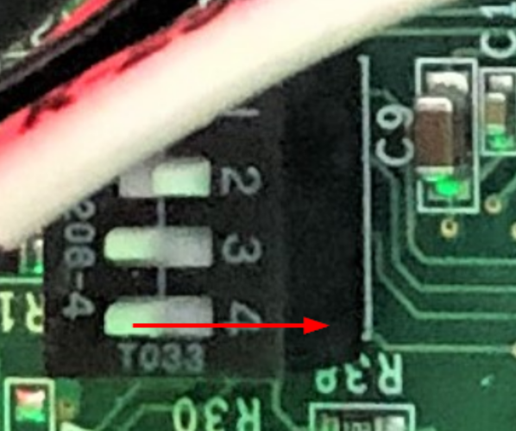
Figure 2 - Dip-switch to the on position
3. The green LED (L3) will start flashing indicating it’s ready for a synchronization
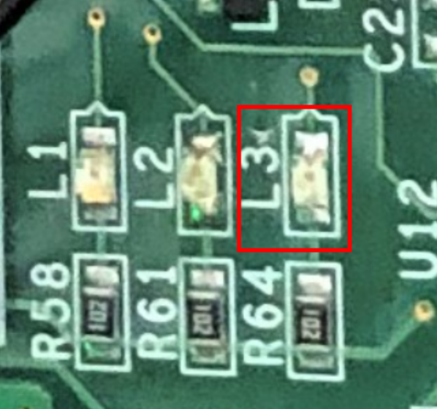
Figure 3 - L3 LED
4. Press and hold any button on the remote controller to confirm the synchronization
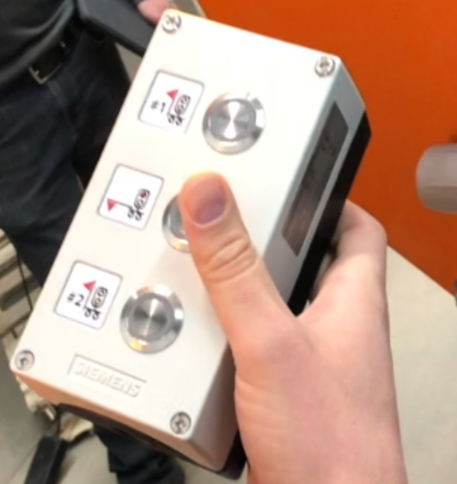
Figure 4 - Remote buttons
5. The green LED (L3) should now stay ON if the synchronization was successful
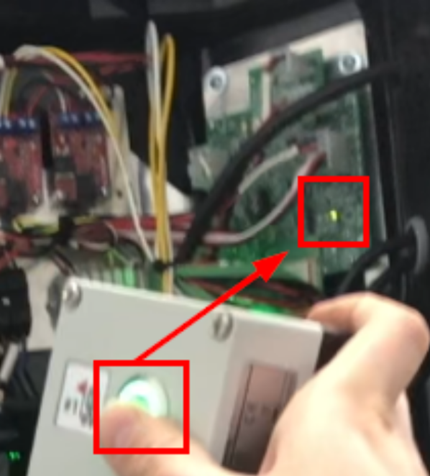
Figure 5 - Successful sync
6. At this time, flip dip-switch #4 to the OFF position

Figure 6 - Dip-switch to the off position
7. Your unit is ready to be used. Press the top button to raise the gate, press the middle button to lower it
Figure 7 - Open Gate
Figure 8 - Close Gate
If you require any additional help, contact our toll-free number at 1-888-488-7446 or email us at support@ver-mac.com
Comments
0 comments
Please sign in to leave a comment.