Synopsis: After a certain amount of hours of usage, it is possible that your handheld controller locks up and asks you to enter the DBS Code to unlock it. This procedure will only take a couple of minutes and will require you to contact Technical Support at 1-888-488-7446 once you have gathered all the information.
- Level: Easy
- Time required: 3-5 minutes
- Additional equipment required: None
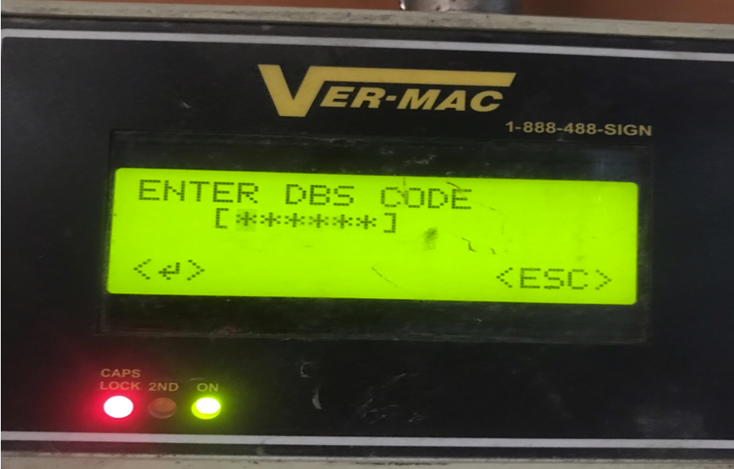
Figure 1 - Controller asking for DBS code
1. Disconnect the power wire from the communication card, then plug it back in
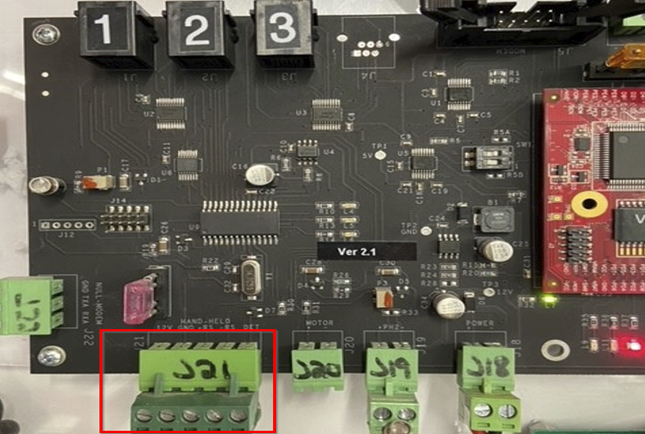
Figure 2 - Communication card
2. While the controller is rebooting, note down the serial number

Figure 3 - Serial number
3. Contact Technical Support at 1-888-488-7446, an agent will generate a reset code using the serial number of your controller
Comments
0 comments
Please sign in to leave a comment.